JT Historia Free Joomla Timeline Module Joomla Extension
99.000 تومان
-
✅ ۱۰۰٪ اورجینال
-
✅ اپن سورس
-
✅ بدون محدودیت در نصب
-
✅ یک ماه آپدیت و بروزرسانی
-
✅ آخرین نسخه
توضیحات محصول
JT Historia – یک ماژول جدول زمانی پویا برای جوملا
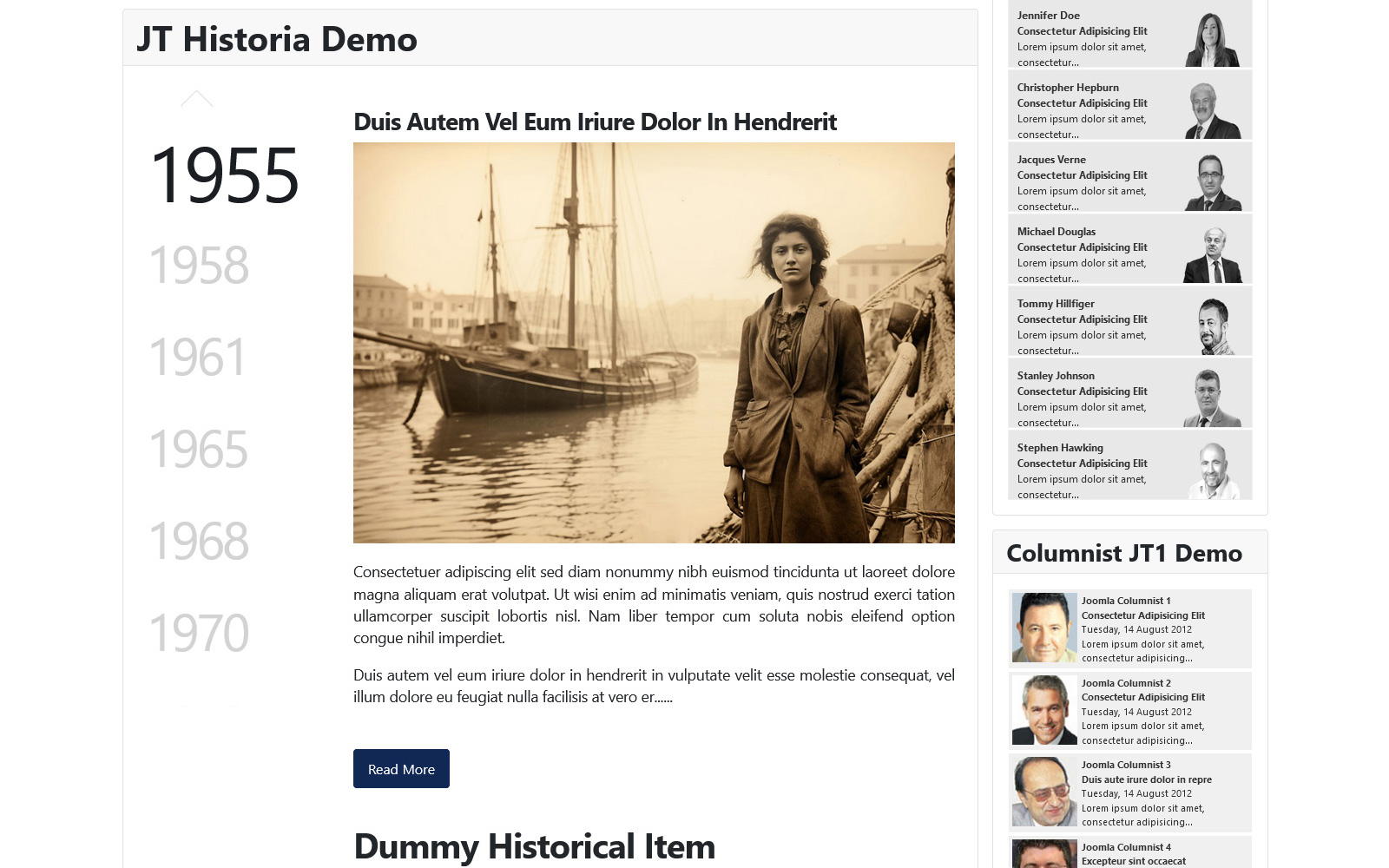
محتوای خود را با JT Historia ، یک ماژول جوملا همه کاره طراحی کرده است که برای ایجاد جدول زمانی بصری جذاب است. این که آیا شما در حال نمایش رویدادهای تاریخی ، راه اندازی محصول یا هرگونه نقاط عطف اصلی هستید ، JT Historia روشی انعطاف پذیر و تعاملی برای ارائه داستان خود ارائه می دهد. طراحی قابل تنظیم آن به شما امکان می دهد تا ظاهر و احساس را تنظیم کنید ، اطمینان حاصل کنید که جدول زمانی شما کاملاً مطابقت دارد با زیبایی شناسی سایت شما. ایده آل برای وبلاگ ها ، سیستم عامل های آموزشی یا سایت های تجاری ، JT Historia اطلاعات را به یک سفر بصری جذاب تبدیل می کند. آیکون ها ، و سبک های قابل تنظیم که با زیبایی شناسی وب سایت شما مطابقت دارند. Historia؟ ایده آل برای مشاغل ، مربیان و خلاقان به طور یکسان ، این ماژول نحوه اشتراک داستانها را بصورت آنلاین تغییر می دهد. از ویژگی های قدرتمند خود استفاده کنید و سایت Joomla خود را با JT Historia امروز تقویت کنید! زمینه
JT Historia – A Dynamic Timeline Module for Joomla
Bring your content to life with JT Historia, a versatile Joomla module designed to create visually engaging timelines. Whether you’re showcasing historical events, product launches, or any key milestones, JT Historia offers a flexible and interactive way to present your story. Its customizable design allows you to tailor the look and feel, ensuring your timeline perfectly matches your site’s aesthetic.
With easy-to-use navigation and rich content display options, you can captivate your audience with images, descriptions, and event details all laid out in a clean, chronological format. Ideal for blogs, educational platforms, or business sites, JT Historia turns information into an engaging visual journey.
Key Features:
Customizable Timeline: Easily arrange your items in a chronological order, providing your visitors with a seamless flow of information.
Visual Appeal: Enhance your presentations with eye-catching images, icons, and customizable styles that match your website’s aesthetic.
User-Friendly Interface: With a straightforward setup and configuration process, you can have your timeline up and running in no time.
Responsive Design: JT Historia is fully responsive, ensuring your timeline looks great on any device, from desktops to mobile phones.
Why Choose JT Historia?
JT Historia stands out as the go-to solution for anyone looking to present content in a modern and engaging way. Ideal for businesses, educators, and creatives alike, this module transforms how you share stories online. Take advantage of its powerful features and enhance your Joomla site with JT Historia today!
Get started now and bring your content to life with JT Historia!
Admin Panel Options:
- Module Padding
- Module Background
- Module Background Color
- Timeline Navigation Width
- Set the width for the timeline navigation based on a 12-column grid system (e.g., 3, 4, 5, 6, etc.).
- Timeline Navigation Position
- Set the position of the timeline navigation (e.g., left, right).
- Nav Block Padding
- Nav Block Padding (e.g., 10px 10px 10px 10px)
- Navigation Block Font Size
- Specify the font size for the navigation block.
- Content Block Padding
- Specify the padding for the content block (in pixels).
- Image Alignment
- Image Width
- Enter width of image in pixels, % or auto.
- Image Margin
- Image Margin in pixels. It will be set automatically for top, left, or bottom.
- Image Border Radius
- Image Border Radius in pixels or %.
- Image Border
- Image Border (e.g., 2px solid #eeeeee).
- Show Navigation
- Show / Hide Navigation Arrows
- Limit Intro Text
- Set a character limit for the intro text in the timeline.
- Intro Text Limit
- Specify the maximum number of characters for the intro text.
- Show Read More
- Display the ‘Read More’ button in the timeline items.
- Read More Text
- Customize the text for the ‘Read More’ button.
- End of Text Replacer
- Text to display at the end if the content is too long.
- Show Pretext
- Show Pretext at the top of the module.
- Strip HTML Tags
- Remove HTML tags from the content.
- Allowed HTML Tags
- Specify which HTML tags should be allowed in the content (e.g., p, span).
- Add Historical Items
- Historias
- Item Type
- Select the type of items to display.
- Select Article
- Choose an article to display within the timeline.
- Nav Title / Date
- Enter Title or Date for Navigation.
- Title Class
- Specify the HTML tag to be used for the article title (e.g., h2, h3, h4).
- Article Image Type
- Select the type of image to display: Intro Image or Fulltext Image.
سلام . پس از خرید این محصول میتوانید از منو ناحیه کاربری > دانلود ها اقدام به دانلود قالب نمایید . در صورتیکه در ارتباط با این محصول سوالی دارید میتوانید قبل یا بعد از تهیه محصول با راهنمای آنلاین سایت که در پایین سایت میباشد مشورت بفرمایید . خوشحال خواهیم شد که راهنمای شما باشیم .