My Sample – Prestashop sample request module PrestaShop Module
99.000 تومان
-
✅ ۱۰۰٪ اورجینال
-
✅ اپن سورس
-
✅ بدون محدودیت در نصب
-
✅ یک ماه آپدیت و بروزرسانی
-
✅ آخرین نسخه
توضیحات محصول
نمای کلی
با ارائه یک تجربه یکپارچه “قبل از خرید” با ماژول MySample، پتانسیل کامل کسب و کار تجارت الکترونیک خود را باز کنید. در صنایعی که تعامل فیزیکی با یک محصول بسیار مهم است -مانند پارچه، کفپوش، لوازم آرایشی، یا عملیات عمده فروشی B2B- ارائه نمونه یک استراتژی اثبات شده برای افزایش نرخ تبدیل و ایجاد اعتماد طولانی مدت مشتری است.
MySample به گروههای نمونه سفارشی محصول خاص شما اجازه میدهد تا از طریق یک جریان کاری خاص مشتری به طور مستقیم در فروشگاه شما یکپارچه شود. رابط کاربری اختصاصی و کاربر پسند در منطقه “حساب من” آنها. برخلاف فرمهای تماس ساده، MySample یک سیستم کاملاً ساختار یافته را ارائه میدهد. مشتریان میتوانند محصولات را با استفاده از موتور جستجوی اصلی فروشگاه شما جستجو کنند، ترکیبهای مشخصهای را انتخاب کنند، و مقادیری را در محدودههایی که کنترل میکنید تعریف کنند.
برای مدیران فروشگاه، مدیریت پشتیبان بصری و قدرتمند است. شما یک داشبورد اختصاصی «نمونه درخواستها» را در زیر منوی سفارشات به دست میآورید تا درخواستهای دریافتی را با مشاهده کامل دادههای مشتری و تحویل بررسی کنید. شما کنترل کامل فرآیند را با گزینه هایی برای پذیرش درخواست ها، رد آنها، یا تبدیل دستی آنها به سفارش بلافاصله حفظ می کنید. این سیستم با اعمال خودکار تخفیفهای درصدی در محدوده سبد خرید و ایجاد پیوندهای ایمن و توکنشده، کارهای سنگین فنی را انجام میدهد. این به مشتریان امکان میدهد فرآیند تسویهحساب را به آرامی تکمیل کنند—معمولاً برای پرداخت هزینههای حملونقل—بدون دسترسی غیرمجاز.
ویژگیهای کلیدی
MySample مملو از قابلیتهایی است که برای سادهسازی فرآیند نمونهبرداری هم برای تاجران و هم برای مشتریان طراحی شده است: بخش «درخواست نمونهها» را در صفحه «حساب من» مشتری یکپارچه کرده است، که فقط برای گروههای مشتریانی که شما مجوز میدهید قابل دسترسی است.
* **انتخاب محصول پیشرفته:** به مشتریان امکان میدهد چندین محصول را به یک درخواست اضافه کنند، از ترکیبهای مشخصه و مقادیر سفارشی در هر مورد پشتیبانی میکند.
* ** جستجوی یکپارچهسازی شده از پیش پوینت:**جستجوی یکپارچهسازی شده U:** پیشنهادات بیدرنگ محصول مطابق با انواع مشتری.
* **کنترلهای مدیریت قوی:** داشبورد جامعی برای بررسی درخواستها با اقداماتی برای پذیرش، رد یا ایجاد فوری سفارش از دفتر پشتیبان ارائه میکند.
* **سیستم تخفیف هوشمند:** به طور خودکار هزینههای ارسال را برای محصولات با درصد تخفیف اعمال میکند. در صورت نیاز.
* **گردش کار پرداخت امن:** پیوندهای تسویه حساب منحصربفرد و توکن شده را برای درخواست های پذیرفته شده ایجاد می کند و اطمینان حاصل می کند که فقط کاربران تأیید شده می توانند سفارش نمونه را نهایی کنند.
* **محدودیت های پیشگیری از سوء استفاده:** از موجودی خود با محدودیت های قابل تنظیم در درخواست ها در روز محافظت می کند **></p طول عمر درخواست در هر محصول و کل طول عمر هر محصول در هر محصول.** اعلانها:** ایمیلهای HTML مدرن و پاسخگو ارسال میکند تا هم مشتریان و هم مدیران را در هر مرحله (ارسال، پذیرش، رد، ایجاد سفارش) در جریان قرار دهد.
جریان مشتری
1. **شروع درخواست:** مشتری وارد سیستم می شود و به بخش “حساب من” می رود تا ابزار “نمونه های درخواست” را پیدا کند.
2. **فرآیند انتخاب:** آنها اقلام مورد نظر را جستجو میکنند، ترکیبهای خاصی (مانند رنگ یا اندازه) را انتخاب میکنند، مقادیر را تعیین میکنند و آدرس تحویل دلخواه خود را انتخاب میکنند.
3. ** پیگیری:** پس از ارسال، درخواست در فهرست سابقه آنها با وضعیت “در انتظار” ظاهر می شود.
4. **تکمیل:** پس از تایید سرپرست، وضعیت به “پذیرفته شده” به روز می شود و دکمه “برو به پرداخت” ظاهر می شود. این آنها را برای نهایی کردن تراکنش به یک سبد خرید ایمن پیوند میدهد (مثلاً پرداخت هزینه حمل و نقل).
5. **تاریخچه:** پس از ثبت سفارش، رابط به طور خودکار درخواست را برای ارجاع آسان به شناسه سفارش جدید پیوند می دهد.
جریان و مدیریت مدیریت
1. **نظارت:** مدیران برای مشاهده لیستی از تمام درخواست های در حال انتظار و پردازش شده، به برگه “درخواست های نمونه” در زیر منوی سفارشات دسترسی دارند.
2. **بازبینی:** با کلیک بر روی یک درخواست، اطلاعات دقیقی در مورد مشتری، آدرس تحویل و موارد خاص درخواست شده نشان داده میشود.
3. **تصمیم گیری:**
* **پذیرفتن:** یک رمز امن ایجاد میکند، تأییدیه را رزرو میکند، و پیوند پرداخت را برای مشتری ایمیل میکند.
* **رد:** درخواست را به عنوان رد شده علامتگذاری میکند و به مشتری اطلاع میدهد.
* ** ایجاد سفارش در حال حاضر و ارسال سفارش، سریعاً سفارش را ایجاد میکند:**مشتری را پس میگیرد. اعمال شد.
نصب
1. پوشه «uploadthisfile.zip» را در پوشه «modules/» پرستاشاپ خود آپلود و از حالت فشرده خارج کنید.
2. به Back Office → Modules → Module Manager بروید.
3. «نمونههای محصول» را پیدا کرده و روی فعال کردن کلیک کنید.
4. یک آیتم منوی جدید «درخواستهای نمونه» در زیر برگه سفارشها ظاهر میشود.
گزینههای پیکربندی
* **گروههای مشتریان مجاز:** دقیقاً مشخص کنید که کدام بخشهای کاربر (مانند عمدهفروشان، افراد VIP) مجوز درخواست نمونهها را دارند. موارد مجاز به ازای هر درخواست واحد (تنظیم روی 0 برای نامحدود).
* **محدودیت های خاص محصول:** مقدار مجاز را برای یک مرجع محصول محدود کنید (برای نامحدود روی 0 تنظیم کنید).
* ** سقف درخواست روزانه:** تعداد درخواست های جداگانه را محدود کنید ** تعداد درخواست های جداگانه ای را که یک کاربر می تواند ارسال کند در عرض 24 ساعت محدود کنید. محدودیت سخت در تعداد کل درخواستهایی که کاربر میتواند در طول زمان انجام دهد (به استثنای درخواستهای رد شده).
* **تنظیمات تخفیف:** درصد تخفیف اعمال شده برای نمونههای نمونه را تعریف کنید (مثلاً 100٪ برای نمونههای رایگان).
مسیرهای فنی
<du`-end: my front-end: صفحه درخواستها.
* `/search`: جستجوهای محصول پویا را از طریق AJAX انجام میدهد (پارامها: s، resultsPerPage، ajax=1).
* `/module/mysample/combinations`: ترکیبهای مشخصه را برای شناسه محصول انتخاب شده واکشی میکند.
* `/module“t validate: “module`t/mysa” (ژتون) برای پر کردن سبد خرید.
ساختار پایگاه داده
این ماژول جداول زیر را برای اطمینان از یکپارچگی دادهها نصب میکند:
* `ps_mysample_request`: دادههای درخواست اصلی (شناسه، مشتری، وضعیت، آدرس، شرکت مخابراتی، تاریخها) را ذخیره میکند.
<myssample به محصولات و ویژگیهای خاص.
* «ps_mysample_cart_map»: نقشهها به شناسههای سبد خرید PrestaShop درخواست میکند.
* «ps_mysample_checkout_token»: نشانههای امنیتی پیوندهای تسویهحساب را مدیریت میکند.
اگر لینک عیبیابی ***نکات عیبیابی نشان داده نمیشود. «حساب من»، «گروههای مشتریان مجاز» را در پیکربندی مجدداً بررسی کنید.
* **مشکلات جستجو:** اگر هیچ محصولی هنگام تایپ ظاهر نشد، مطمئن شوید فهرست جستجوی فروشگاه شما بهروز است و حافظه پنهان پاک شده است.
* **خطاهای تخفیف:** اگر اقلام نشان داده میشوند درصد قیمت کامل را در سبد خرید نشان میدهند. با سایر قوانین سبد خرید مغایرت دارد.
Overview
Unlock the full potential of your e-commerce business by offering a seamless “try before you buy” experience with the MySample module. In industries where physical interaction with a product is crucial—such as fabrics, flooring, cosmetics, or wholesale B2B operations—providing samples is a proven strategy to boost conversion rates and build long-term customer trust.
MySample integrates a sophisticated workflow directly into your PrestaShop store, allowing specific customer groups to request free product samples through a dedicated and user-friendly interface in their “My Account” area. Unlike simple contact forms, MySample offers a fully structured system. Customers can search for products using your store’s core search engine, select specific attribute combinations, and define quantities within the limits you control.
For store administrators, the back-office management is intuitive and powerful. You gain a dedicated “Sample Requests” dashboard under the Orders menu to review incoming requests with full visibility of customer and delivery data. You maintain complete control over the process with options to accept requests, reject them, or manually convert them into orders immediately. The system handles the technical heavy lifting by automatically applying cart-scoped percentage discounts and generating secure, tokenized links. This allows customers to complete the checkout process smoothly—typically to pay for shipping costs—without unauthorized access.
Key Features
MySample is packed with functionality designed to streamline the sampling process for both merchants and customers:
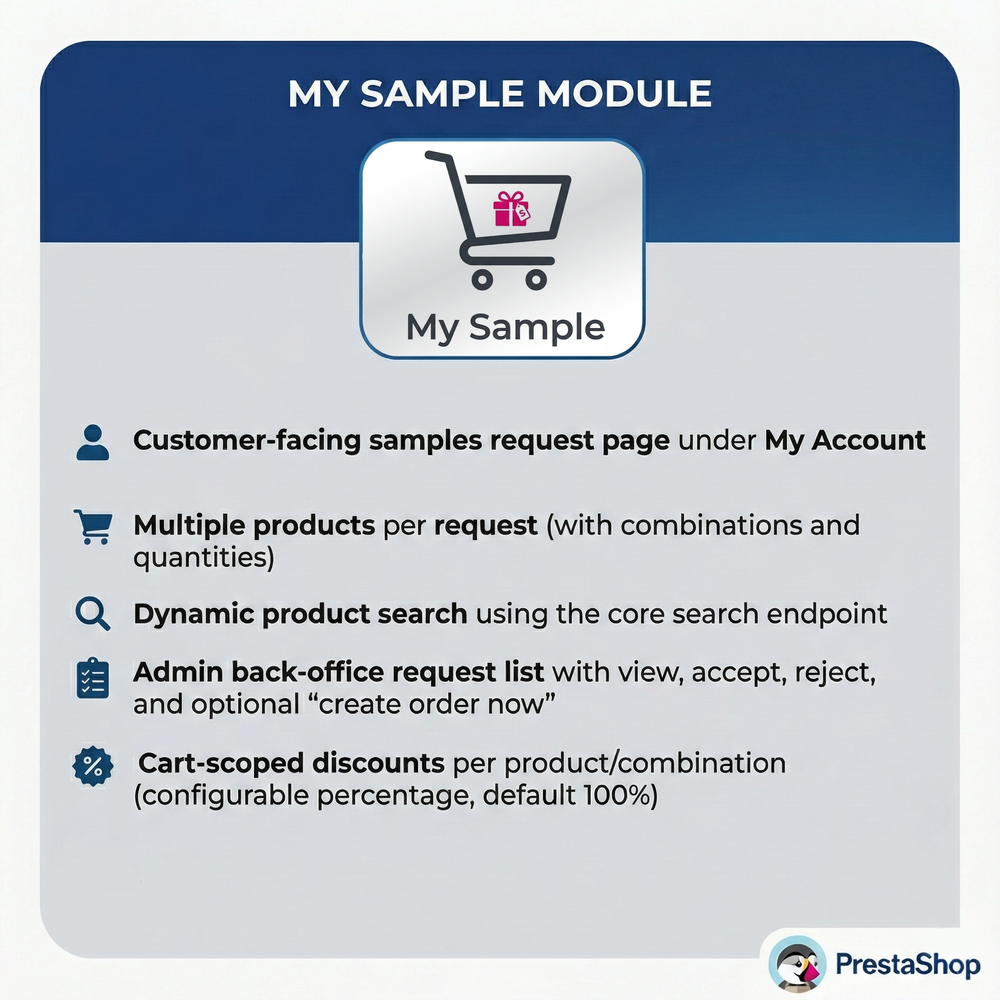
* **Dedicated Sample Interface:** Adds a fully integrated “Request Samples” section within the customer’s “My Account” page, accessible only to the customer groups you authorize.
* **Advanced Product Selection:** Allows customers to add multiple products to a single request, supporting specific attribute combinations and custom quantities per item.
* **Integrated Search:** Utilizes PrestaShop’s core search endpoint to provide dynamic, real-time product suggestions as the customer types.
* **Robust Admin Controls:** Provides a comprehensive dashboard for reviewing requests with actions to Accept, Reject, or instantly Create an Order from the back office.
* **Smart Discount System:** Automatically applies cart-scoped percentage discounts for approved sample products (handling combinations correctly) while keeping shipping costs separate if needed.
* **Secure Checkout Workflow:** Generates unique, tokenized checkout links for accepted requests, ensuring that only approved users can finalize the sample order.
* **Abuse Prevention Limits:** protect your inventory with configurable caps on requests per day, quantities per product, and total lifetime requests per user.
* **Automated Notifications:** Sends modern, responsive HTML emails to keep both customers and admins informed at every step (Submission, Acceptance, Rejection, Order Creation).
Customer Flow
1. **Request Initiation:** The customer logs in and navigates to the “My Account” section to find the “Request Samples” tool.
2. **Selection Process:** They search for desired items, select specific combinations (e.g., color or size), set quantities, and choose their preferred delivery address.
3. **Tracking:** Once submitted, the request appears in their history list with a “Pending” status.
4. **Completion:** Upon admin approval, the status updates to “Accepted,” and a “Go to checkout” button appears. This links them to a secure cart to finalize the transaction (e.g., paying for shipping).
5. **History:** After the order is placed, the interface automatically links the request to the new order ID for easy reference.
Admin Flow & Management
1. **Monitoring:** Administrators access the “Sample Requests” tab under the Orders menu to view a list of all pending and processed inquiries.
2. **Review:** Clicking on a request reveals detailed information about the customer, the delivery address, and the specific items requested.
3. **Decision Making:**
* **Accept:** Generates a secure token, reserves the approval, and emails the customer the checkout link.
* **Reject:** Marks the request as denied and notifies the customer.
* **Create Order Now:** Bypasses the customer checkout flow and immediately generates an order in the system with discounts applied.
Installation
1. Upload and unzip the `uploadthisfile.zip` directory to your PrestaShop `modules/` folder.
2. Navigate to Back Office → Modules → Module Manager.
3. Locate “Product Samples” and click Enable.
4. A new menu item “Sample Requests” will appear under the Orders tab.
Configuration Options
* **Allowed Customer Groups:** Define exactly which user segments (e.g., Wholesalers, VIPs) have permission to request samples.
* **Global Quantity Limits:** Set a maximum total number of items allowed per single request (Set to 0 for unlimited).
* **Product Specific Limits:** Restrict the quantity allowed for a single product reference (Set to 0 for unlimited).
* **Daily Request Cap:** Limit how many separate requests a customer can submit within 24 hours to prevent spam.
* **Lifetime User Cap:** Set a hard limit on the total number of requests a user can make over time (excluding rejected ones).
* **Discount Settings:** Define the percentage discount applied to sample items (e.g., 100% for free samples).
Technical Routes
* `/module/mysample/requests`: The main front-end controller for the customer requests page.
* `/search`: Handles dynamic product lookups via AJAX (params: s, resultsPerPage, ajax=1).
* `/module/mysample/combinations`: Fetches attribute combinations for a selected product ID.
* `/module/mysample/checkout`: The secure controller that validates `id_request` and `t` (token) to populate the cart.
Database Structure
The module installs the following tables to ensure data integrity:
* `ps_mysample_request`: Stores core request data (ID, customer, status, address, carrier, dates).
* `ps_mysample_request_item`: Relational table linking requests to specific products and attributes.
* `ps_mysample_cart_map`: Maps requests to PrestaShop cart IDs.
* `ps_mysample_checkout_token`: Manages security tokens for the checkout links.
Troubleshooting Tips
* **Missing Link:** If the link doesn’t appear in “My Account,” double-check the “Allowed customer groups” in configuration.
* **Search Issues:** If no products appear while typing, ensure your shop’s search indexing is up to date and caches are cleared.
* **Discount Errors:** If items appear full price in the cart, verify the “Discount percent” setting and ensure the specific price rules aren’t conflicting with other cart rules.
سلام . پس از خرید این محصول میتوانید از منو ناحیه کاربری > دانلود ها اقدام به دانلود قالب نمایید . در صورتیکه در ارتباط با این محصول سوالی دارید میتوانید قبل یا بعد از تهیه محصول با راهنمای آنلاین سایت که در پایین سایت میباشد مشورت بفرمایید . خوشحال خواهیم شد که راهنمای شما باشیم .