-
✅ ۱۰۰٪ اورجینال
-
✅ اپن سورس
-
✅ بدون محدودیت در نصب
-
✅ یک ماه آپدیت و بروزرسانی
-
✅ آخرین نسخه
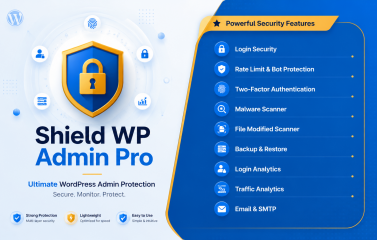
Shield WP Admin Pro is a comprehensive WordPress security plugin designed to protect your admin area from unauthorized access and common vulnerabilities, delivering a full security toolkit without bloating your site.
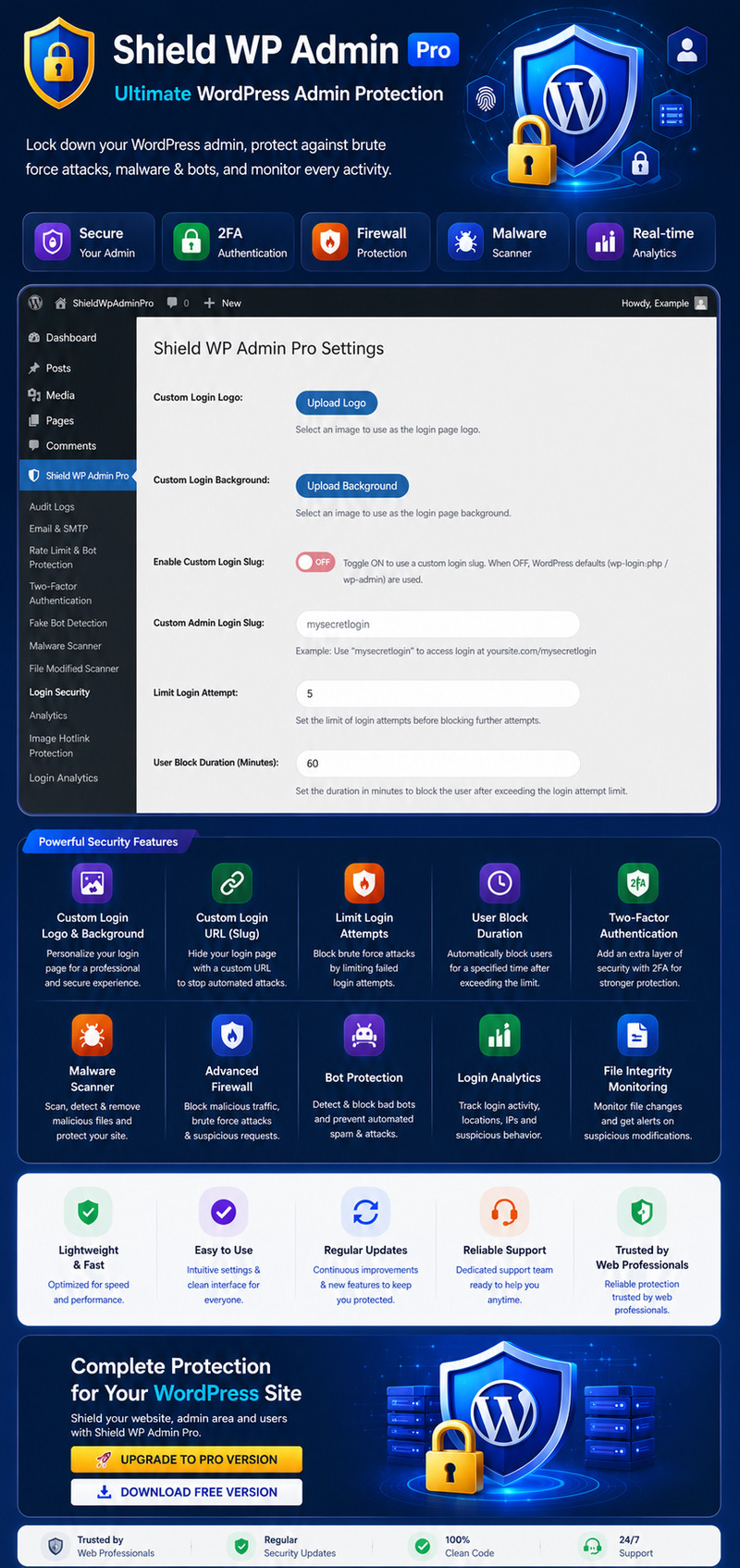
This plugin combines essential hardening features with advanced protection mechanisms, including custom login URLs to hide /wp-login.php, brute-force attack prevention with login attempt limiting, Google reCAPTCHA integration to block bots, two-factor authentication (2FA), email-based OTP login, comprehensive audit logging, and file and malware scanning.
All features are modular and can be individually enabled or disabled from a clean, intuitive admin interface. Shield WP Admin Pro is suitable for business websites and enterprise environments, providing strong admin protection while maintaining performance and stability.
Why Choose Shield WP Admin Pro?
- Multi-Layered Defense: Protects against brute-force attacks, unauthorized access, malware, and file tampering.
- Performance Optimized: Lightweight, modular architecture that only activates the features you need.
- User-Friendly: Clean, intuitive dashboard with easy toggle controls for every security module.
- Enterprise Ready: Ideal for business websites, membership sites, eCommerce stores, and multi-site networks.
- Complete Recovery Toolkit: Built-in full site & database backups with one-click restore.
Core Features:
Login & Access Security
- Custom Login URL – Hide default /wp-login.php and /wp-admin paths
- Login Attempt Limiting – Block users after failed attempts
- Google reCAPTCHA v2/v3 – Block bots on login page
- Two-Factor Authentication (2FA) – App-based (Google/Microsoft Authenticator)
- Email OTP Authentication – One-time password via email
- IP Blacklisting – Block specific IP addresses
Rate Limiting & Bot Protection
- Advanced Rate Limiting per IP
- Fake Bot / Fake Crawler Detection (Googlebot, Bingbot, etc.)
- Suspicious User-Agent Blocking
- Request Validation & Referer Checking
WordPress Hardening
- Disable XML-RPC
- Block Theme & Plugin File Editor
- Hide WordPress Version Information
- Disable Pingbacks & Trackbacks
- Force HTTPS in Admin Area
- Secure REST API Protection
Malware & File Security
- Malware Scanner – Detect malicious code patterns
- File Change Detector – Monitor core, theme, and plugin files
- Manual + Scheduled Scans
- File & Directory Exclusions
- Scan History & Detailed Reports
Monitoring & Analytics
- Security Audit Logs – Track all login attempts and admin activities
- Admin Analytics Dashboard – Live insights into login traffic and security events
- Email Notifications for Critical Events
Backup & Restore (Pro Exclusive)
- Full Site Backup (Files + Database)
- Database-Only Backup
- One-Click Backup & Restore
- Backup Management (Download/Delete)
- Pre-Restore Safety Checks
- URL Replacement Utility during Restore
Email & Notification System
- Built-in SMTP Configuration
- Test Email Utility
- Custom Security Alert Emails
Technical Specifications:
- WordPress Version: 5.5+
- PHP Version: 7.4+
- License: Single Site License (TemplateMonster)
- Modular Design: Enable/Disable any feature independently
FAQ:
Q: Do I need coding knowledge to use this plugin?
A: No. Shield WP Admin Pro features a clean, user-friendly interface. All settings are configurable via the WordPress admin dashboard with clear explanations.
Q: Will this plugin slow down my website?
A: No. The plugin is lightweight and performance-optimized. Only the modules you activate will run, ensuring minimal impact on site speed.
Q: What happens if I forget my custom login URL?
A: You can still access the default login temporarily via a recovery link (configurable) or through FTP/file manager. We strongly recommend bookmarking the custom URL.
Q: Does it work with caching plugins?
A: Yes. It is fully compatible with popular caching plugins like WP Rocket, LiteSpeed Cache, W3 Total Cache, etc.
Q: Can I use it on a multisite network?
A: Currently optimized for single sites. Contact support for multisite requirements.
Q: How does the Malware Scanner work?
A: It scans for known malicious patterns, suspicious code, and file integrity changes. You can run manual scans or schedule automatic ones.
Q: Is 2FA mandatory for all users?
A: No. Administrators can enable 2FA per user account.
Q: What if my license expires?
A: The plugin will continue to work with core features, but premium updates and support will require renewal.
سلام . پس از خرید این محصول میتوانید از منو ناحیه کاربری > دانلود ها اقدام به دانلود قالب نمایید . در صورتیکه در ارتباط با این محصول سوالی دارید میتوانید قبل یا بعد از تهیه محصول با راهنمای آنلاین سایت که در پایین سایت میباشد مشورت بفرمایید . خوشحال خواهیم شد که راهنمای شما باشیم .